If you are preparing for ICAP CAF-3 Data, Systems and Risks (DSR), you can now prepare end to end on mirakx.com, free. I teach this subject, and these are the tools I wanted my own students to have: something to read, something to practise with every day, and a way to sit a real-looking paper before the exam.
Here is what is available and how to use it.
1. The free CAF-3 DSR study guide
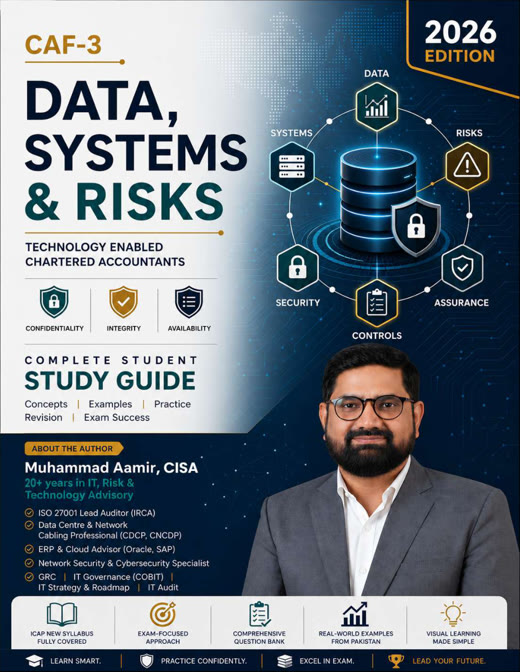
A 457-page study guide covering all 17 chapters of the CAF-3 syllabus in plain language, written for students without an IT background. Every chapter has local examples, exam tips, sticky-note revision points, practice MCQs and scenario questions with model answers. The study guide is completely free.
👉 Download the free study guide (PDF)
2. Completely free: how access works
Everything in CAF-3 DSR Exam Prep is free. There are just two steps:
| What you get | Cost | |
|---|---|---|
| Starter access (straight away) | Up to 100 MCQs from any chapters, plus 1 full mock paper | Free |
| Full access (on request) | All 1,020 MCQs, more mock papers, AI marking of your written answers and your exam readiness score | Free |
You sign in once with your Google account and add your mobile, city and institute. Whenever you are ready, tap Request full access. There is no charge: requests only help me keep the platform for genuine CAF-3 students and protect the questions from being copied. I review every request, and you get an email as soon as yours is approved.
3. Chapter-wise MCQ practice: 1,020 questions
Every chapter has its own page, with 60 MCQs per chapter and an explanation for every answer.
- You choose how many questions: 10, 20, 30, all 60, or any number you type.
- Learn mode: see the answer and explanation straight after each question. Best when you have just finished reading a chapter.
- Test mode: timed at 1.5 minutes per question, like the exam, with your score and a full review at the end.
- Questions you haven't seen come first, so every session is fresh.
- Retry your wrong answers with one click.
- Options are shuffled every time, so you learn the concept, not the position of the answer.
Every question has been checked against the ICAP CAF-3 syllabus and the ICAP Study Text, so you are practising what is actually examinable.
4. The mock exam builder: a different paper every time
The mock exam builder follows the ICAP paper pattern: 7 questions, 100 marks.
| Part | What you get | How |
|---|---|---|
| Question 1 | 15 MCQs, 1 mark each (15 marks) | Online, timed (about 23 minutes), marked instantly |
| Questions 2 to 7 | Descriptive and scenario questions (85 marks) | Downloadable PDF paper, plus a separate model-answer PDF |
You pick one chapter or several, so you can sit a mock after finishing a few chapters, not just at the end. Each paper is generated for you from a bank of 136 descriptive questions and the full MCQ bank, and questions you have already had come last. In testing, ten full papers in a row shared not a single question.
If you only want MCQ practice, choose an MCQ-only mock instead and set the number of MCQs yourself (15, 20, 30, 50 or any number up to 100), timed at 1.5 minutes each.
Your first mock paper opens straight away; more papers come with full access.
5. AI marking of your handwritten answers (full access)
Writing answers is only half the work; you also need to know how they would be marked. After Question 1, write Questions 2 to 7 on paper, by hand, just as you will in the exam. Then:
- Take a clear photo of each answer page, in order (or scan them into one PDF).
- Upload them on the mock page and tap Mark my answers.
- In a minute or two you get marks and feedback for every part, an overall comment on what to improve, and your total out of 100 (Question 1 plus Questions 2 to 7).
The AI marks like a fair examiner, against the model answer and marking guidance: it credits valid points written in your own words, and tells you what was missing. You can have 2 papers marked per day. AI marking is a strong estimate rather than an official result, so check any mark you disagree with against the model-answer PDF. With starter access, you mark yourself with the model-answer PDF.
Write only your paper code on the sheets, not your name.
6. Your exam readiness score (full access)
The My progress page turns everything you do into one number: your exam readiness score out of 100.
- It combines your recent MCQ accuracy and your marked written answers for every chapter.
- It is weighted by the ICAP syllabus: Data 35–45%, Systems 30–40%, Risks 20–30%.
- A chapter only counts fully once you have answered about 20 questions in it, so a few lucky answers can't make you look ready.
- It shows the chapters to work on next, with links straight to their practice pages, and your full history of attempts across your phone and laptop.
How I suggest you use it
- Read the chapter in the study guide.
- Practise in Learn mode: 20 questions, reading every explanation, even for answers you got right.
- Switch to Test mode a few days later, and retry your wrong answers until they are right.
- Sit a chapter mock after every three or four chapters, and get Questions 2 to 7 marked.
- Check your readiness score every week and work on the chapters it flags.
- In the last month, sit a full-syllabus mock every week, in exam conditions: 3 hours 15 minutes, no notes.
Keep the syllabus weighting in mind as you plan: Data 35–45%, Systems 30–40%, Risks 20–30%.
Good to know
- Sign in with Google, then add your mobile, city and institute, so I can see how students are doing and improve the questions. Details are in the privacy notice.
- Works on mobile and laptop, and your progress follows your Google account.
- Uploaded answer sheets are marked by Google's Gemini AI and kept privately so marks can be checked.
- The questions are original, written to the syllabus. mirakx.com is a free study resource and is not affiliated with ICAP.
👉 Start practising now, free, and share it with your CAF-3 class group. Questions or suggestions? Email aamir@mirakx.com.